Define your palette once.
Apply it everywhere.
Yes, it could be a bash script. But it isn't.
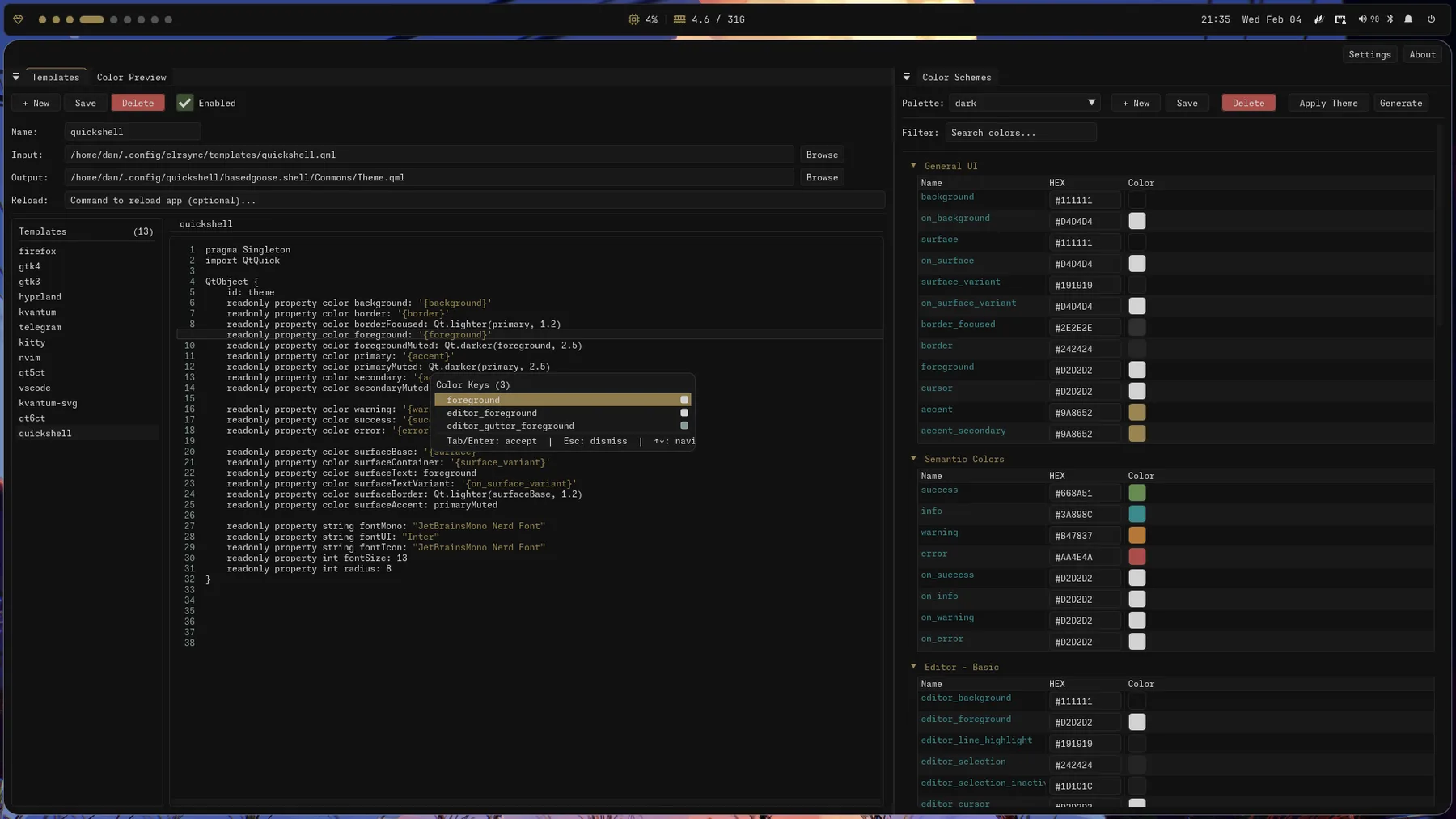
Templates are just config files
Put a placeholder wherever a color goes. clrsync fills it in from the active palette.
- cursor
- #E1C135
- foreground
- #C2C2B0
- background
- #151515
- accent
- #95A328
- term1
- #B44242
- term2
- #95A328
- term3
- #E1C135
- term4
- #60928F
- cursor
- {cursor}
- foreground
- {foreground}
- background
- {background}
- url_color
- {accent}
- color1
- {term1}
- color2
- {term2}
- color3
- {term3}
- color4
- {term4}
- cursor
- #E1C135
- foreground
- #C2C2B0
- background
- #151515
- url_color
- #95A328
- color1
- #B44242
- color2
- #95A328
- color3
- #E1C135
- color4
- #60928F
clrsync_cli --apply --theme cursedOne color, any format
{accent}#95A328{accent.hex_stripped}95A328{accent.hexa}#95A328FF{accent.rgb}rgb(149, 163, 40){accent.r}149
Other things available here
Live reload
Run a command after a template is applied, so apps pick up their new config automatically.
CLI and GUI
Script it with clrsync_cli, or edit palettes and templates in the GUI.
Palette generation
Import colors from hellwal, matugen or pywal16, then tweak them.
Home Manager module
Declare palettes, templates and reload commands in your flake.
Linux and Windows
Packages for Arch, Fedora and Ubuntu, plus a Windows installer.
Plain TOML
Palettes and config are TOML files. Diff them, commit them, keep them in your dotfiles.
Presets
A few palettes and templates for common apps. Use one as-is, or copy it into your own setup.
Install
Packages for the mainstream distros, a Home Manager module for NixOS, and a Windows installer.
1. Add clrsync to your flake inputs:
{
  inputs = {
    nixpkgs.url = "github:NixOS/nixpkgs/nixos-unstable";
    home-manager.url = "github:nix-community/home-manager";

    clrsync.url = "github:obsqrbtz/clrsync";
  };
}
2. Add clrsync to flake outputs:
homeConfigurations.<user> = home-manager.lib.homeManagerConfiguration {
  inherit pkgs;
  extraSpecialArgs = { inherit inputs; };
  modules = [
    ./home.nix
    clrsync.homeModules.default
  ];
};
3. Configure in home.nix:
programs.clrsync = {
  package = inputs.clrsync.packages.x86_64-linux.default;
  defaultTheme = "dark";
  palettesPath = "~/.config/clrsync/palettes";
  font = "JetBrainsMono Nerd Font Mono";
  fontSize = 14;
  applyTheme = true;

  templates = {
    kitty = {
      enabled = true;
      inputPath = "~/.config/clrsync/templates/kitty.conf";
      outputPath = "~/.config/kitty/clrsync.conf";
      reloadCmd = "pkill -SIGUSR1 kitty";
    };
  };
};
4. Rebuild:
home-manager switch --flake .Download the latest .rpm from the releases page (opens in new tab) and install:
sudo dnf install clrsync-<version>.rpmDownload the latest .deb from the releases page (opens in new tab) and install:
sudo dpkg -i clrsync-<version>.deb- Download the latest installer from the releases page (opens in new tab)
- Run the installer and follow the wizard
- Optionally, add the installation directory to your PATH
Prerequisites: C++20 compiler, CMake, OpenGL, glfw, fontconfig, freetype
git clone https://github.com/obsqrbtz/clrsync.git
cd clrsync
mkdir build && cd build
cmake ..
cmake --build .
cmake --install .Installed? The quickstart covers integrating clrsync into your setup. Bugs and patches go to GitHub (opens in new tab).